WAS9:00 AM→NOW10:15 AM
What this affects
Riley’s warmup begins at 10:30 AM at another venue. One driver may not be able to make both drop-offs.
Your calendar has not been updated yet.
Review changeDismiss
Bring team calendars, emails, texts, tournaments, and travel into one family plan—then see what a schedule change affects next.
 TeamSnap
 SportsEngine
 GameChanger
 LeagueApps
Built for parents managing multiple teams, apps, and weekends.
THE PROBLEM
One team posts in an app. Another sends an email. A coach texts a last-minute change. The tournament hotel is buried in a confirmation.
You should not have to be the human connection between every system.
CHANGES WITH CONTEXT
Family Assistant can show what a change means for the rest of the family: another child’s event, the drive between fields, a tournament stay, or who needs to handle pickup.
Play this schedule change →MEET YOUR FAMILY’S NEW TEAMMATE
Bring supported calendar feeds into one view. Review useful details from connected email. Add updates from a photo, text, or voice note. Keep each tournament beside the stay that makes it possible.
Less searching. Less retyping. More being there.
REAL PRODUCT SCREENS
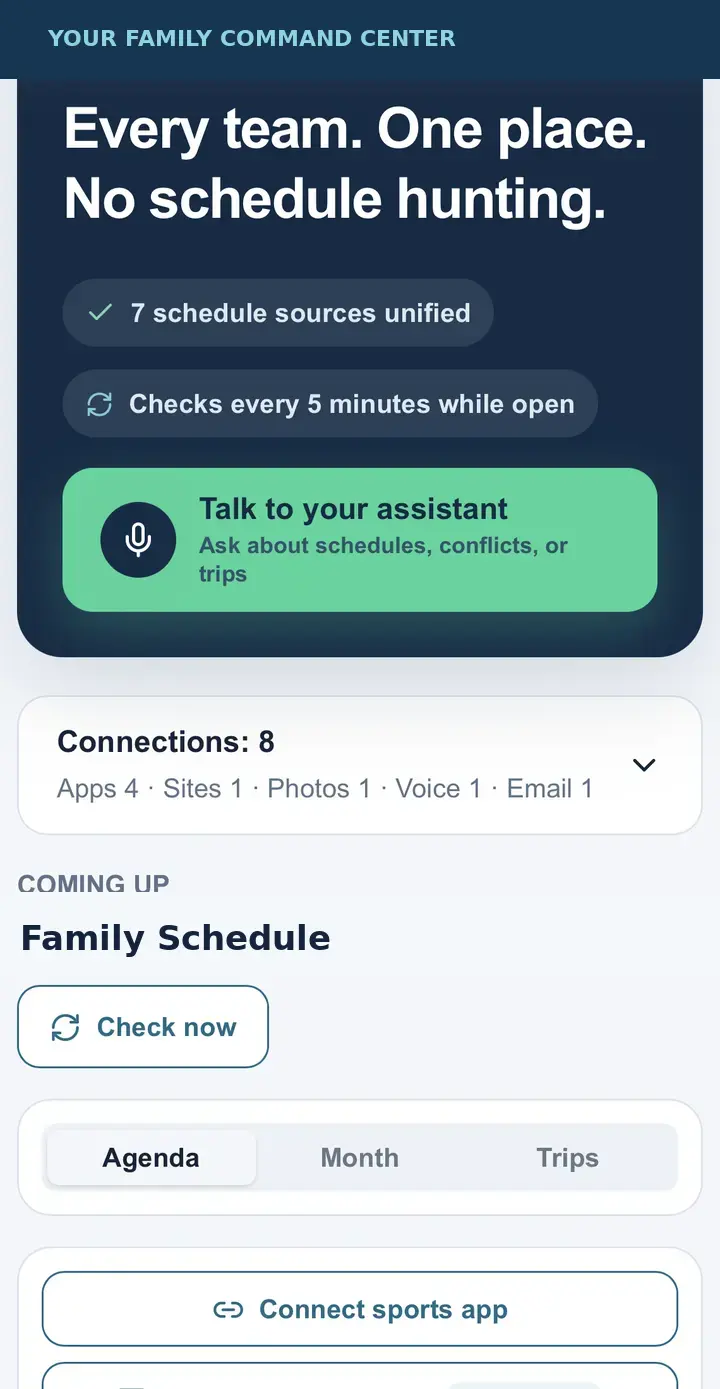
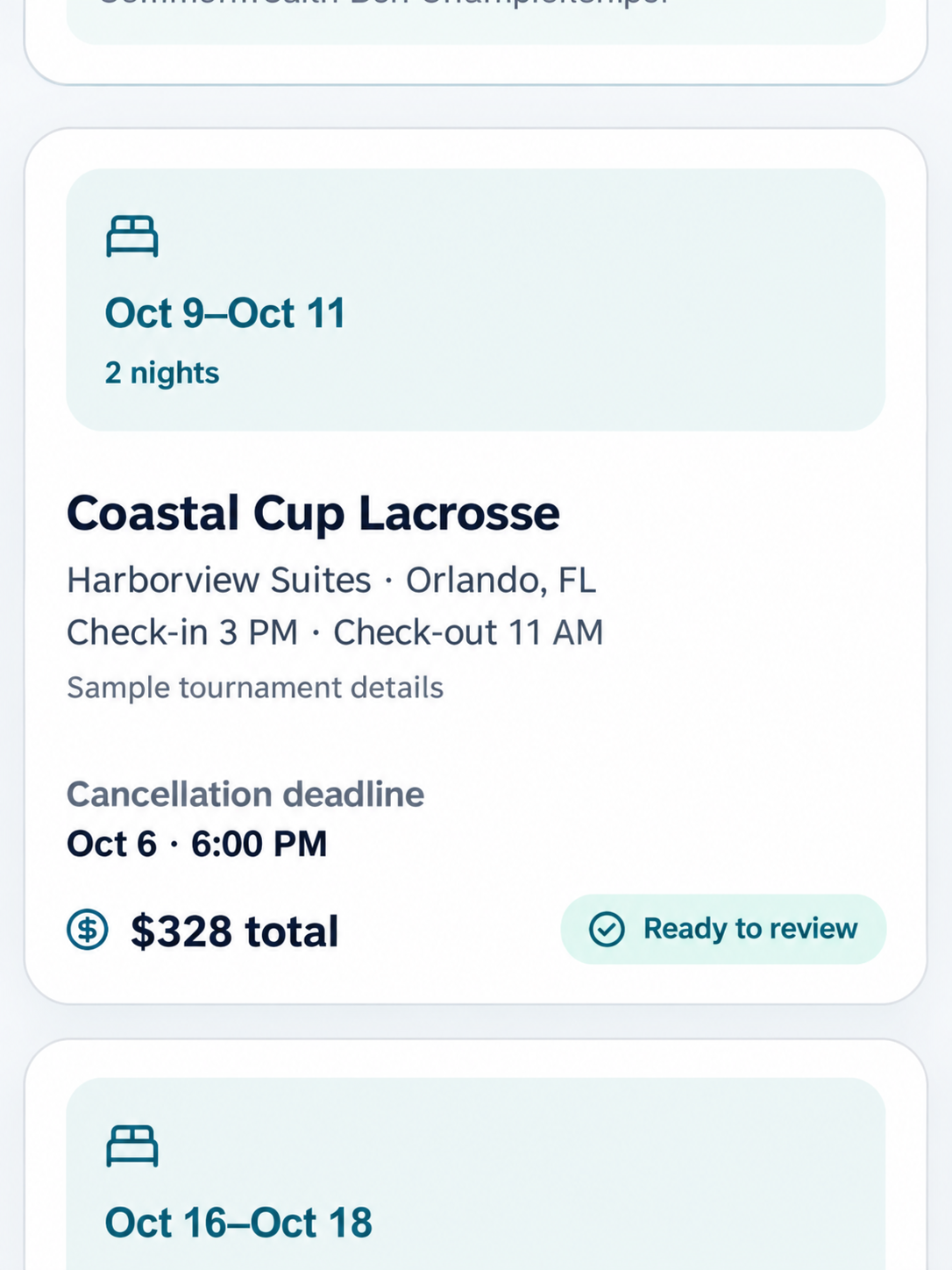
The private prototype is bringing family schedules, source connections, and tournament stays into one place. The tournament stay example uses fictional details to protect family privacy.
WHAT IT TAKES OFF YOUR PLATE
See supported team calendars in one family view, with the source attached to each event.
See the old and new details, then check the sibling events, drives, pickups, and travel plans the change may affect.
Capture the update where you found it, review the details, and add it to the family plan.
Put dates, stays, confirmation details, free-cancellation deadlines, and missing lodging beside the weekend they belong to.
KEEP THE TEAM APPS
Family Assistant works around your real sports life. Availability varies by source: some calendars can stay subscribed, while email, texts, photos, and voice notes may require review.
See connection methodsLogos identify common family schedule sources, not partnerships or universal integrations.
TeamSnapSportsEngineGameChangerLeagueAppsCLEAR BEFORE CLEVER
Imported or interpreted details can be checked before they become part of the plan.
Events can show where the information came from so you can verify it.
Unknown times, locations, or lodging stay marked as missing.
Family Assistant is in private testing. Support and automation vary by source, and broader beta availability is still being prepared.
BUILT FROM THE SIDELINES
Youth sports families should spend their energy on the games, friendships, and confidence their kids are building—not on hunting through apps and inboxes.
Family Assistant starts with sports because that is where the family calendar gets hardest. The standard is simple: make the next useful detail easier to find, understand, and act on.
Read our story →
STRAIGHT ANSWERS
No. Family Assistant organizes useful information from the tools your teams already use, while keeping the original source visible.
Supported calendar feeds and connected email can surface updates. You see what changed, where it came from, and what it may affect before approving it.
The private prototype is being tested now. Join the interest list to help shape the next group of family testers.
LESS CHASING. MORE CHEERING.
Join the early group helping shape Family Assistant: Youth Sports.